
/
/
Grid Item
Grid Item Block
The individual cells inside a Grid Block. Each Grid Item controls its own column span, background, spacing, and can optionally act as a flex container or a clickable link.
GRID BLOCK → GRID ITEMS
Grid Item 1
col-span-1
Grid Item 2
col-span-1
Grid Item 3
col-span-1
When to use this block
- Each column/cell inside a Grid Block
- Cards that span multiple columns (e.g., a featured card spanning 2 cols)
- Clickable card areas (entire item becomes a link)
- Items with their own background color, image, or gradient
Column Span
Controls how many columns this item stretches across. Set independently per breakpoint, just like the parent Grid Block’s column count.
Column Span
Sidebar Panel
RESULT (in a 3-col grid)
Spans 2
Values: 1–12, or “full” to span the entire grid width.
Important: Always set the column span explicitly, even when it’s 1. Leaving it empty means no col-span class is applied, which can cause unexpected layout behavior.
Flex Layout
Turn the grid item into a flex container for its children. Useful for vertically stacking or centering content inside a cell.
Flex Layout
Sidebar Panel
Enable Flex

Direction
Align Items
Gap
When to enable
When you need children to stack vertically with even spacing, or when you want to center content both horizontally and vertically inside a card.
Available controls
Direction (row/column + reverse), wrap, justify, align, and gap — all responsive across mobile, tablet, and desktop.
Link Wrapping
Make the entire grid item clickable by adding a URL. The whole card area becomes a link — useful for feature cards, portfolio items, or any clickable content block.
Link
Sidebar Panel
URL
Open in new tab

Note: When a link is set, the entire item’s content is wrapped in an <a> tag. Keep accessibility in mind — the card’s content should clearly communicate what the link leads to.
Background
Same background options as the parent Grid Block — solid color, gradient, or image with overlay. Works per individual item.
Background
Sidebar Panel
Color
Image
Overlay
Background image uses object-cover with absolute positioning. Overlay renders between the image and your content for text readability.
Responsive Reordering
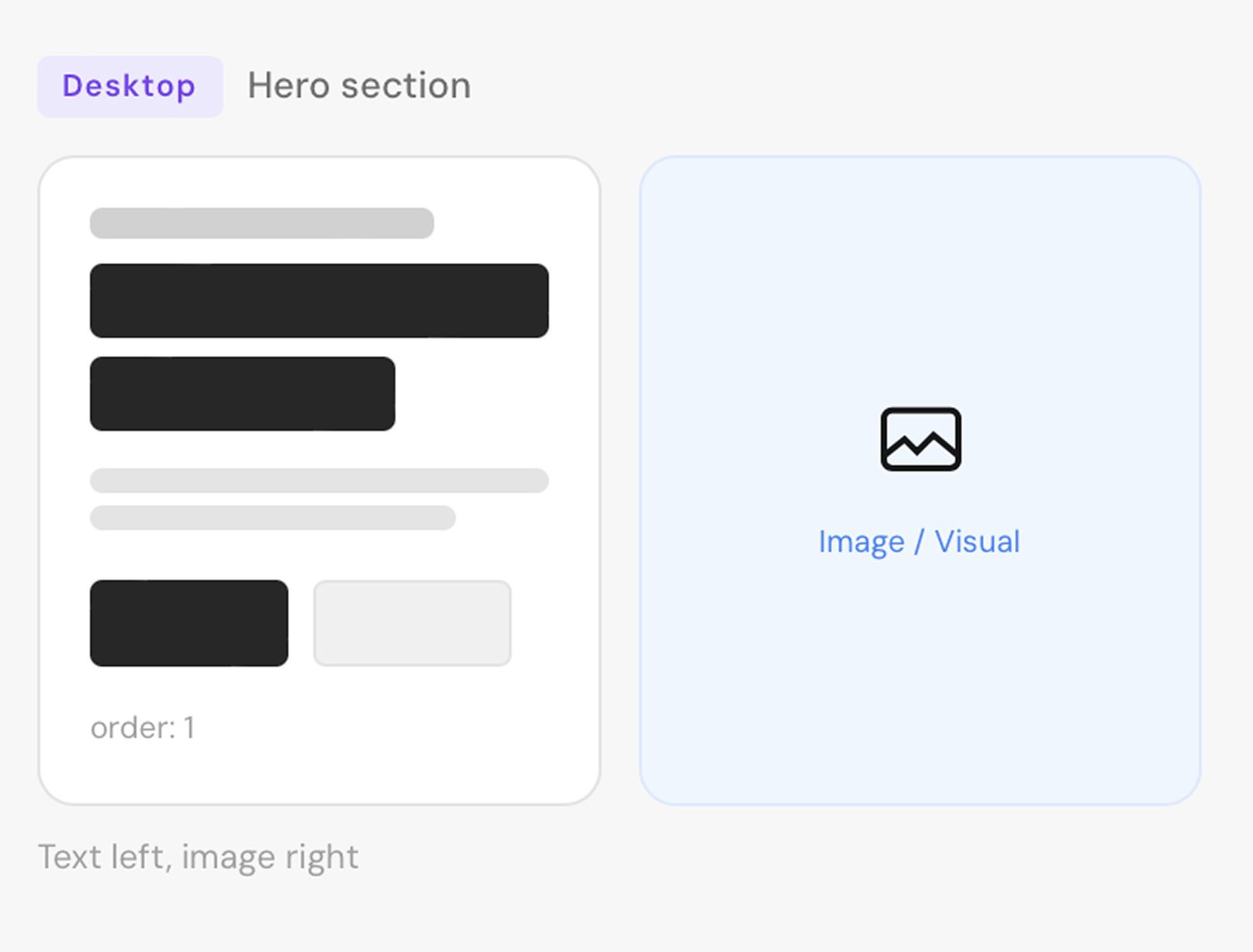
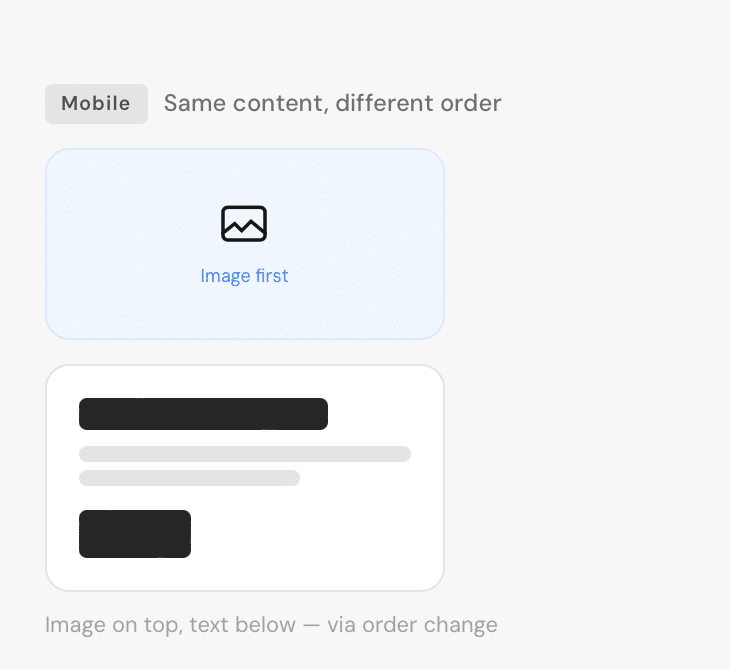
Rearrange grid items per screen size — without moving them in the editor. The content stays in one place, but the visual order changes for mobile, tablet, and desktop independently.
Order
Sidebar Panel — per Grid Item
Mobile
Tablet
Desktop
EXAMPLE: IMAGE + TEXT REORDERING
Stacked, text first
Text Block
order:1
Image Block
order:2
Side by side
Text Block
order:2
Image Block
order:1
Side by side
Text Block
order:2
Image Block
order:1
REAL-WORLD USE CASE
Presets
First · 1–12 · Last
Custom
Any number via text input
Breakpoints
Mobile · Tablet · Desktop
Why this matters: On desktop, you might want text on the left and an image on the right. On mobile, you want the image on top. Instead of duplicating content, just change the order per breakpoint. One block, different visual sequences.
Spacing
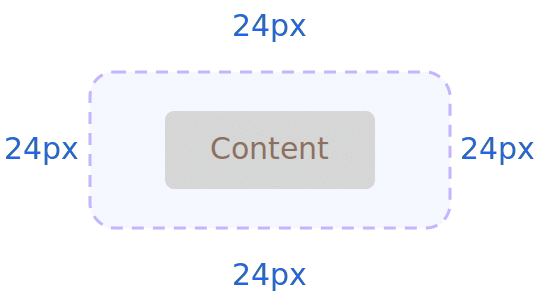
Padding (inside) and margin (outside) in pixels, responsive across 3 breakpoints. Same system as Grid Block.
Responsive:
Mobile
Tablet
Desktop
Border & Shadow
Per-side borders, per-corner radius, and shadow presets. All responsive. Same system as Grid Block.
Border
Width, color, and style per side. Choose which sides have borders. Responsive across mobile, tablet, desktop.
Radius & Shadow
Per-corner radius (e.g., round only the top). Shadow: sm, base, md, lg, xl, 2xl, inner. Setting radius adds overflow-hidden automatically.
All Available Controls
Column Span 5 breakpoints, 1–12 or full

colSpan (mobile), colSpanSm, colSpanMd, colSpanLg, colSpanXl. Values: 1–12 or “full”. Always set explicitly.
Flex Layout Direction, wrap, align, gap — responsive
Toggle: enableFlex. Direction: row, row-reverse, col, col-reverse (per breakpoint). Wrap: wrap, nowrap, wrap-reverse. Justify/Align: start, center, end, between, around, evenly, stretch, baseline. Gap: 0–24 scale (per breakpoint).
Link URL, target, rel
url: wraps entire item in <a> . linkTarget: “_blank” or empty. rel: auto-set to “noopener noreferrer” when opening in new tab.
Background Color, gradient, image, overlay
Same as Grid Block: backgroundColor, backgroundGradient, backgroundImageUrl (from media library), overlayColor/overlayOpacity (0–100).
Order Reorder items responsively
order (mobile), orderMd, orderLg. Presets: First, 1–12, Last. Custom number also accepted.
Spacing Padding & margin, 3 breakpoints
Padding/Margin: top, bottom, left, right in px. Responsive: mobile, tablet (Md), desktop (Lg). Additional: maxWidthPx for constraining inner width.
Border & Shadow Per-side, per-corner, shadow presets
Border: borderMobile/Tablet/Desktop + borderSides per breakpoint. Radius: borderRadiusMobile/Tablet/Desktop (per-corner). Shadow: sm, base, md, lg, xl, 2xl, inner. Setting radius automatically adds overflow-hidden.
Alignment Self-alignment within the grid
justifySelf / alignSelf: start, center, end, stretch. Controls this item’s position within its grid cell.