
/
Timeline Block
Timeline Block
A container for chronological or step-based content. Five layout styles range from alternating center cards to numbered steps. Controls the connecting line, dots, item cards, and spacing.
CENTER STYLE PREVIEW
Research Phase
User interviews, competitive analysis, and requirements gathering.
Design Sprint
Wireframes, prototyping, and design system setup.
Development
Frontend build, API integration, and testing.
Center style: cards alternate left and right around a central line with dots.
When to use this block
- Company history or milestones
- Step-by-step processes or workflows
- Project timelines and roadmaps
- Changelog or version history
Timeline Styles
Five layout styles control how items are positioned. The selected timelineStyle is passed to children via block context.
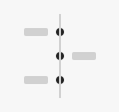
Center
Alternating L/R
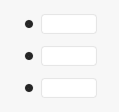
Left Cards
Bordered cards
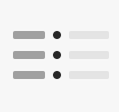
Split
Label + dots
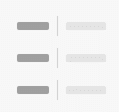
Split Label
Label + border
Numbered
Auto-counter
Set via timelineStyle attribute. Value is provided to child timeline-item-block blocks through block context so items adapt their layout automatically.
Dot & Line
Style the connecting line and dots that run through the timeline. Dot size is responsive across breakpoints.
Dot
Sidebar Panel
Color
Gradient
Size
px
Border Radius
%
Line
Sidebar Panel
Color
Gradient
Width
px
Style
Dot size is responsive: Mobile Tablet Desktop — Set borderRadius to 0 for square dots, 50% for circles.
Numbered Mode
When timelineStyle is set to numbered, dots are replaced with auto-incrementing numbers using a CSS counter. No manual numbering needed.
Number Style
Numbered mode only
Number Color
Font Size
px
Font Weight
AUTO-COUNTER PREVIEW
First step content
Second step content
Third step content
Numbers auto-increment via counter-increment in CSS. Reordering items in the editor updates the count automatically.
Item Styling
Card appearance controls for timeline items. Most impactful in the left-cards style where items render as bordered cards.
Item Card
Sidebar Panel
Background
Border Color
Border Width
px
Border Radius
px
Item Padding
Responsive
Top
16
Right
20
Bottom
16
Left
20
Item padding is responsive: Mobile Tablet Desktop
Spacing
Control the gap between items and the outer wrapper spacing. All spacing values are responsive across breakpoints.
Item Gap
contentGap, splitGap, leftColWidth — control spacing between columns and content areas. Responsive.
Item Margin
itemMarginBottom — vertical space between each timeline item. Responsive across breakpoints.
Wrapper Spacing
Padding (all 4 sides) and margin (top/bottom) on the outer timeline container. Responsive.
Responsive: Mobile Tablet Desktop
All Available Controls
Timeline Style Layout mode selector

timelineStyle: one of center, left-cards, split, split-label, numbered. Determines the overall layout. Value is passed to child timeline-item-block via block context.
Dot Appearance Color, gradient, size, radius
dotColor: solid color for dots. dotGradient: CSS gradient string. dotSize: diameter in px (responsive — separate Mobile/Tablet/Desktop values). dotBorderRadius: percentage or px value (50% = circle, 0 = square).
Line Appearance Color, gradient, width, style
lineColor: solid color. lineGradient: CSS gradient string. lineWidth: thickness in px. lineStyle: CSS border-style value (solid, dashed, dotted).
Numbered Style Number color, size, weight
numberColor: text color for the counter number. numberFontSize: size in px. numberFontWeight: CSS font-weight (e.g. 700). Only active when timelineStyle is numbered. Numbers auto-increment via CSS counter-increment.
Item Card Styling Background, border, radius, padding
itemBackground: card background color. itemBorderColor/itemBorderWidth: card border. itemBorderRadius: corner rounding in px. itemPadding: inner spacing (responsive — Mobile/Tablet/Desktop). Most visible in left-cards style.
Spacing & Layout Gaps, margins, wrapper padding
contentGap: gap between dot/line and content. splitGap: gap between left label column and content (split styles). leftColWidth: width of the left column (responsive). itemMarginBottom: vertical space between items (responsive). Wrapper: paddingTop/Bottom/Left/Right + marginTop/Bottom (all responsive with Md/Lg variants).