
/
Before/After Block
Before/After Block
An image comparison slider. Upload two images and let users drag a handle to reveal the difference. Supports horizontal drag, vertical drag, or click-to-toggle modes.
INTERACTIVE PREVIEW
 Before
 After
AfterWhen to use this block
- Design before/after comparisons (redesigns, retouching)
- Product results (cleaning, restoration, fitness)
- Performance or quality improvements
Comparison Mode
Choose how users interact with the comparison.
Horizontal

Drag left ↔ right
Vertical
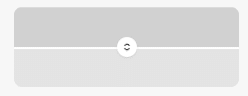
Drag up ↔ down
Toggle

Click to switch
Images
Upload two images from the media library. Both images should have the same dimensions for best results.
Images
Sidebar Panel
Before Image
before.jpg
Before Alt
Original design
After Image
after.jpg
After Alt
Redesigned version
Labels
Customize the “Before” and “After” label text, colors, and typography. Each label has its own background and text color.
Labels
Sidebar Panel
Before Text
Before
Before Bg
dark
Before Text Color
dark
Aftter Text
After
After Bg
light
After Text Color
#171717
Font Size
px
Font Weight
LABEL STYLES
Before
Dark bg, white text
After
Light bg, dark text
Custom
Brand-colored labels
Font size is responsive (3 breakpoints). Weight is not responsive.
Height & Border Radius
Set the block height in pixels (responsive). Per-corner border radius on the slider container (responsive).
Size
Sidebar Panel
Height
px
Both height and radius are responsive: Mobile Tablet Desktop
Spacing
Padding and margin. Both use per-breakpoint objects.
Responsive: Mobile Tablet Desktop
All Available Controls
Comparison Mode Horizontal, vertical, toggle

sliderType: "horizontal" (default, drag left/right), "vertical" (drag up/down), "toggle" (click to switch). Horizontal/vertical use a drag handle with role="slider". Toggle uses a button.
Images Before + after upload, alt text
beforeImageUrl/beforeImageId/beforeImageAlt and afterImageUrl/afterImageId/afterImageAlt. Use same-dimension images for best results.
Labels Text, bg/text color per side, typography
beforeLabel/afterLabel (default “Before”/”After”). beforeLabelBgColor/beforeLabelTextColor and afterLabelBgColor/afterLabelTextColor. labelFontSize/labelLineHeight (+Md/Lg). labelFontWeight (not responsive).
Height & Radius Block height + per-corner radius, responsive
height (+Md/Lg): default 450px. borderRadiusMobile/Tablet/Desktop: per-corner objects. Both applied to .ba-slider which always has overflow: hidden.
Toggle Button Colors for toggle mode only
toggleBtnBgColor/toggleBtnTextColor: only affects the click-to-toggle button. Has no effect in horizontal/vertical drag modes.
Spacing Padding & margin, responsive objects
paddingMobile/Tablet/Desktop and marginMobile/Tablet/Desktop: per-breakpoint objects with top/right/bottom/left.